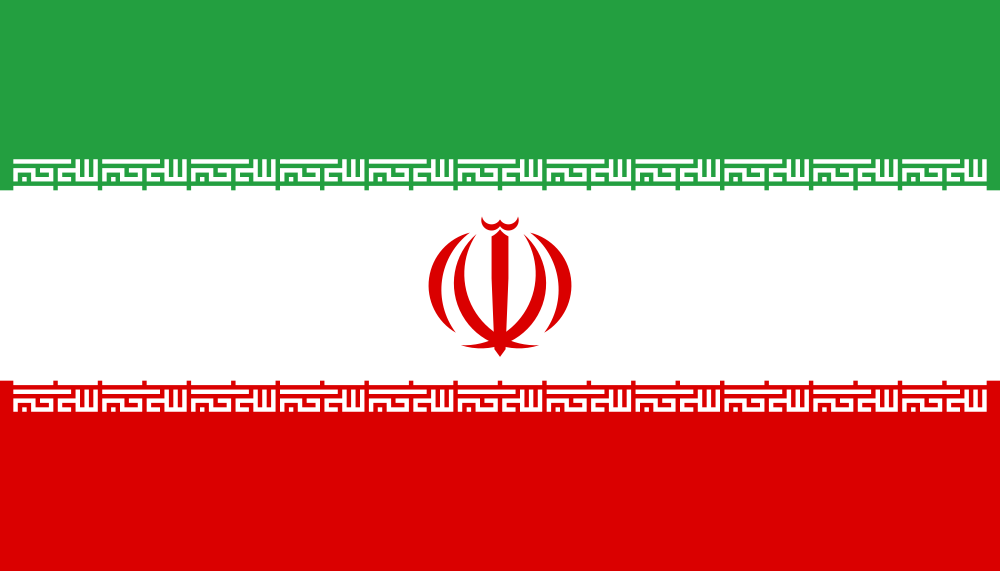
Hello
May I point you to the URL
http://commons.wikimedia.org/wiki/Commons:Graphics_village_pump#default_rend...
coding the literal URL
http://commons.wikimedia.org/wiki/Commons:Graphics_village_pump#default rendering from SVG-to-png looks buggy (also improper default flag-sizes, IMHO)
?
Is this the correct mailing list to get feed back and/or even contact the right developpers to change these fixed default sizes and the SVG-to-png rendering? If not, whom or what community should I contact?
See also: http://commons.wikimedia.org/wiki/File_talk:Flag_of_Iran.svg#general comments
Thanks, Achim
On 26 June 2012 17:37, Achim Flammenkamp achim@uni-bielefeld.de wrote:
http://commons.wikimedia.org/wiki/Commons:Graphics_village_pump#default_rend...
Is this the correct mailing list to get feed back and/or even contact the right developpers to change these fixed default sizes and the SVG-to-png rendering?
It is completely unclear to me what the problem is. There is a note on the image page stating 'These above (displayed) rendered images are forced (by wikimedia politics) to an improper (even false) flag-ratio. The correct ratio is 7:4 and to avoid some small render-bugs, the height of the flag in pixels should be divisible by 3.'. Even though I'm not sure what 'wikimedia politics' have to do with it, the ratio's all look fine to me: the preview at [1], the 1000px png version [2] and the svg version [3] all render to a 7:4 (=1.75) aspect ratio for me (at least, that's what the Chrome dev tools tell me).
Could you try to explain your problem again? Please explain *where* you see *which* aspect ratio, and, for instance, which browser you are using. Please also explain how you determined the aspect ratio. The more information you provide, the easier it is for us to understand what's going on.
Best, Merlijn
[1] http://commons.wikimedia.org/wiki/File:Flag_of_Iran.svg [2] http://upload.wikimedia.org/wikipedia/commons/thumb/c/ca/Flag_of_Iran.svg/10... [3] http://upload.wikimedia.org/wikipedia/commons/c/ca/Flag_of_Iran.svg
Hi
It is completely unclear to me what the problem is. There is a note on the image page stating 'These above (displayed) rendered images are forced (by wikimedia politics) to an improper (even false) flag-ratio. The correct ratio is 7:4 and to avoid some small render-bugs, the height of the flag in pixels should be divisible by 3.'. Even though I'm not sure what 'wikimedia politics' have to do with it, the ratio's all look fine to me: the preview at [1], the 1000px png version [2] and the svg version [3] all render to a 7:4 (=1.75) aspect ratio for me (at least, that's what the Chrome dev tools tell me).
Could you try to explain your problem again? Please explain *where* you see *which* aspect ratio, and, for instance, which browser you are using. Please also explain how you determined the aspect ratio. The more information you provide, the easier it is for us to understand what's going on.
It is explained in detail at the (yes, very lengthened section) who's URL I pointed you at first.
But okay, I will repeat very thing relevant for you:
0) Where: on my personal/office monitor when displaying certain wikimedia pages. 1) I use different versions of Firefox 3 and 4 but the visual effect is in always the same (running on different Linux flavors) (and not only at me). 2) If you like, take as a good example the URL http://commons.wikimedia.org/wiki/File:Flag_of_Iran.svg 3) I triggered this here because I created the valid (last) version of this SVG-file and people now come to me and complain about it's appearance on wikimedia and wikipedia. Thus I dig done the problem and it seems to be out of my reach to correct this miss-design by wikimedia but identified it to got founded in some wikimedia politics or history which now noone seems to be responsable. :-/
Detailed explanation at example: If there is a SVG-file on wikimedia, some fixed logic generates png-images for the flag's description page generally. The first image, here 800 × 457, is displayed very prominently always at the beginning of the SVG-description file, others (320 × 183 pixels | 640 × 366 pixels | 1,024 × 585 pixels.) follows as links. All these sizes seems to be bounding-boxes from historic used (maybe even today) resolutions of (CRT-)monitors respecting aspect about ratio as near as they can If horicontal OR vertical is maximized to this resolution. Then some facts to the original SVG code is stated and than further fixed png-sized images follows as links (This image rendered as PNG in other sizes: 200px, 500px, 1000px, 2000px.).
The last , in small font set explanation, I added for people to get an understanding of the reasons lying behind the scene. :-/ [Only for thios flag].
This flag should have a ratio of 7:4 which has the SVG original, but NOT the prominantly displayed first image (800 × 457 , 800 is not divisible by 7, nor 457 by 4)!
Because in this flag, there are these two strips of "Alkmar Allah" Tekbirs, rendering artifacts can get easily visible if improper rendering occurs! First reason is: flag height in pixles is not divisible by 3, so the three green, white and red strip can't be of equal height (as demanded in the original SVG-code)! And because the Tekbirs should be exact aligned at the border of the green/white and red/white strip rounding errors may provocate a green or a red one-pixel-thick line to appear between the white strip and the Tekbir as you see in the 800x457 image! It seems the scaling and rendering is doing in the wrong order (my guess, I also tried different work-arounds but got no satis- factoring solution, because it is not a coding issue in SVG!).
I guess: IF one would FIRSTLY render the original SVG to its orignal size into a fixed bitmap format and then scale this down to the wanted (png-)size, several visibale artifacts (like the just mentioned MUST be gone!). So, this is a rendering-design issue. Moreover to avoid further artifically introducted problems by chosen thoughtless fixed sizes (500px), I propose NOT to use multiples of 100 or 1000 nor historican monitor sizes as fixed image sizes (which are out of control for the user/uploader!!), but sizes which consists on many small primes, i.e. HCN (highly composite numbers). Thus my second pointer in my first email to explain the background.
BTW: The same effect/statement is correct for SVG-templates like the one which uses national flags displaying in info-boxes in articles. But here maybe I can trigger guys responsible for these templates on XY-wikipedia (language specific).
I hope I have explained it righlty and (nearly) relevant completely now.
Thanks for your attention, Achim
2012/6/26 Achim Flammenkamp achim@uni-bielefeld.de:
This flag should have a ratio of 7:4 which has the SVG original, but NOT the prominantly displayed first image (800 × 457 , 800 is not divisible by 7, nor 457 by 4)!
Even though neither 800 is not divisible by 7 nor 457 is divisible by 4, 800/457 is 1.75054... which is as close as you can get using full pixels to 7/4 which is 1.75.
So, the aspect ratio is right. Your problem is that you want it to be a perfect multiple of 7:4.
(...)
Detailed explanation at example: If there is a SVG-file on wikimedia, some fixed logic generates png-images for the flag's description page generally. The first image, here 800 × 457, is displayed very prominently always at the beginning of the SVG-description file, others (320 × 183 pixels | 640 × 366 pixels | 1,024 × 585 pixels.) follows as links.
All these sizes seems to be bounding-boxes from historic used (maybe even today) resolutions of (CRT-)monitors respecting aspect about ratio as near as they can If horicontal OR vertical is maximized to this resolution.
Those links as provided as convenience for downloading smaller versions. They were added per bug 2581. I think those were added as arbitrary sizes (with a large history usage, as noted).
Then some facts to the original SVG code is stated and than further fixed png-sized images follows as links (This image rendered as PNG in other sizes: 200px, 500px, 1000px, 2000px.).
The last , in small font set explanation, I added for people to get an understanding of the reasons lying behind the scene. :-/ [Only for thios flag].
This flag should have a ratio of 7:4 which has the SVG original, but NOT the prominantly displayed first image (800 × 457 , 800 is not divisible by 7, nor 457 by 4)!
So nobody should be allowed to get a thumbnail with eg. exactly 120px width? (As used in the galleries, meaning you would end up with differently-sized thubmnails, which would look bad)
Because in this flag, there are these two strips of "Alkmar Allah" Tekbirs, rendering artifacts can get easily visible if improper rendering occurs! First reason is: flag height in pixles is not divisible by 3, so the three green, white and red strip can't be of equal height (as demanded in the original SVG-code)! And because the Tekbirs should be exact aligned at the border of the green/white and red/white strip rounding errors may provocate a green or a red one-pixel-thick line to appear between the white strip and the Tekbir as you see in the 800x457 image!
So your problem is not the scaling itself but that it gets wrong (I don't see a red line above the letters or a green one below them, btw so seems to render fine).
It seems the scaling and rendering is doing in the wrong order (my guess, I also tried different work-arounds but got no satis- factoring solution, because it is not a coding issue in SVG!).
We are just asking rsvg to "render this svg in this size", not doing two different passes.
I guess: IF one would FIRSTLY render the original SVG to its orignal size into a fixed bitmap format and then scale this down to the wanted (png-)size, several visibale artifacts (like the just mentioned MUST be gone!). So, this is a rendering-design issue.
Well, if the given instance renders badly you should take the issue upstream to rsvg authors (unless the problem is that wikimedia is using an outdated version).
Moreover to avoid further artifically introducted problems by chosen thoughtless fixed sizes (500px), I propose NOT to use multiples of 100 or 1000 nor historican monitor sizes as fixed image sizes (which are out of control for the user/uploader!!), but sizes which consists on many small primes, i.e. HCN (highly composite numbers). Thus my second pointer in my first email to explain the background.
I'm pretty sure this will turn out to be a bad idea, but please propose the alternative sizes.
BTW: The same effect/statement is correct for SVG-templates like the one which uses national flags displaying in info-boxes in articles. But here maybe I can trigger guys responsible for these templates on XY-wikipedia (language specific).
Those templates usually request a fixed size, so not related to MediaWiki defaults.
I hope I have explained it righlty and (nearly) relevant completely now.
Thanks for your attention, Achim
Thanks for your explanation.
Hi
Thanks for your very quick response and a "work-around" solution(?). It is the first time I see someone promptly spring into action for a quick help. I thought this was impossible here, too. I needed about 4 - 5 day only to get the pointer form wikimedia to ask here after public question. :-/
Of cource the prominantly displayed and wrongly rendered image is still there (800×457 not equivalent 7x4 ). Hopefully most can understand english text.
On Tue, Jun 26, 2012 at 08:03:54PM +0200, Platonides wrote:
So, the aspect ratio is right. Your problem is that you want it to be a perfect multiple of 7:4.
*LOL* You are pulling my leg. :) Integers are perfect and 7.00567... or whatever is no integer, like 7:4 is a different ratio than 800 : 457. :)
Those links as provided as convenience for downloading smaller versions. They were added per bug 2581. I think those were added as arbitrary sizes (with a large history usage, as noted).
Okay -- by convenince and "arbitrary" sizes (with a large history usage) ... well ....
So nobody should be allowed to get a thumbnail with eg. exactly 120px width? (As used in the galleries, meaning you would end up with differently-sized thubmnails, which would look bad)
No, no .... see my proposal on http://commons.wikimedia.org/wiki/File_talk:Flag_of_Iran.svg#general comments.
So your problem is not the scaling itself but that it gets wrong (I don't see a red line above the letters or a green one below them, btw so seems to render fine).
Depends on what you call render ....
We are just asking rsvg to "render this svg in this size", not doing two different passes.
Well, This I didn't know, but I knew(guessed) if doing two passes this would be a work-around!
Well, if the given instance renders badly you should take the issue upstream to rsvg authors (unless the problem is that wikimedia is using an outdated version).
Well ... if this is the case, I did not know, maybe -- but I'm not an admin. Noone told me how the original SVG size is converted to a wanted png-size.
I'm pretty sure this will turn out to be a bad idea, but please propose the alternative sizes.
Well ... how many sizes do you want? And in which size-range?
I guess: 4 different sizes from 200 upto 2000 ? (as now) A quick look to http://en.wikipedia.org/wiki/Highly_composite_numbers shows:
120 2^3.3.5 16 180 2^2.3^2.5 18 240 2^4.3.5 20 360 2^3.3^2.5 24 720 2^4.3^2.5 30 840 2^3.3.5.7 32 1,260 2^2.3^2.5.7 36 1,680 2^4.3.5.7 40 2,520 2^3.3^2.5.7 48
Well, let me suggest: 180, 360, 720, 1680 (because smaller sizes probable will be used more frequently). But I'm open to a different choice (or larger set). Alle these sizes are divisible by 3 and many even by 9, but all only by 5 no by 25! But we may bargin. ;)
Those templates usually request a fixed size, so not related to MediaWiki defaults.
Yes, but an "arbitrary" size, chosen from convinience as the just discussed? ;-)
2 points are still open: "Allahu Akbar" is the correct wording not 'Alkmar Allah' as you copy from my mistakenly stated/chosen words. If you or Valhallasw who (in the version-diff look apparently) do the change) tell me how I could change this part of a file-description page in general, I will do it.
2nd point in a different email.
Thanks achim
On 06/26/2012 03:12 PM, Achim Flammenkamp wrote:
On Tue, Jun 26, 2012 at 08:03:54PM +0200, Platonides wrote:
So, the aspect ratio is right. Your problem is that you want it to be a perfect multiple of 7:4.
*LOL* You are pulling my leg. :) Integers are perfect and 7.00567... or whatever is no integer, like 7:4 is a different ratio than 800 : 457. :)
Is there something sacred about the ratio that means anything less than perfection is unacceptable?
There are some *real* issues with the rendering on Commons -- especially SVGs -- and it looks like the thumbnail on http://commons.wikimedia.org/wiki/File:Flag_of_Iran.svg from "20:14, 21 June 2012" (http://hexm.de/jg) shows the real issue here.
The proper place for reporting this issue is probably the ImageMagick developers. They've been really quick about responding and fixing problems in the past.
After the problem is fixed on the ImageMagick side, you need to get Wikimedia Operations to deploy the fixed code.
I've reported this to the ImageMagick devs (http://hexm.de/jh). Let's see what their response is before we blame "Wikimedia Politics".
Mark.
On Tue, Jun 26, 2012 at 3:24 PM, Mark A. Hershberger mah@everybody.org wrote:
On 06/26/2012 03:12 PM, Achim Flammenkamp wrote:
On Tue, Jun 26, 2012 at 08:03:54PM +0200, Platonides wrote:
So, the aspect ratio is right. Your problem is that you want it to be a perfect multiple of 7:4.
*LOL* You are pulling my leg. :) Integers are perfect and 7.00567... or whatever is no integer, like 7:4 is a different ratio than 800 : 457. :)
Is there something sacred about the ratio that means anything less than perfection is unacceptable?
There are some *real* issues with the rendering on Commons -- especially SVGs -- and it looks like the thumbnail on http://commons.wikimedia.org/wiki/File:Flag_of_Iran.svg from "20:14, 21 June 2012" (http://hexm.de/jg) shows the real issue here.
The proper place for reporting this issue is probably the ImageMagick developers. They've been really quick about responding and fixing problems in the past.
After the problem is fixed on the ImageMagick side, you need to get Wikimedia Operations to deploy the fixed code.
I've reported this to the ImageMagick devs (http://hexm.de/jh). Let's see what their response is before we blame "Wikimedia Politics".
Mark.
I thought librsvg was used and not IM?
On 26/06/12 22:24, Mark A. Hershberger wrote:
There are some *real* issues with the rendering on Commons -- especially SVGs -- and it looks like the thumbnail on http://commons.wikimedia.org/wiki/File:Flag_of_Iran.svg from "20:14, 21 June 2012" (http://hexm.de/jg) shows the real issue here.
Tha shows a problem in the central image, I thought the Tekbir were the white "letters" on the color stripes?
http://upload.wikimedia.org/wikipedia/commons/thumb/archive/c/ca/20120621203... does show a 1px green/red border (not the full one, mixed with white) between them and the white stripe.
The proper place for reporting this issue is probably the ImageMagick developers. They've been really quick about responding and fixing problems in the past.
After the problem is fixed on the ImageMagick side, you need to get Wikimedia Operations to deploy the fixed code.
I've reported this to the ImageMagick devs (http://hexm.de/jh). Let's see what their response is before we blame "Wikimedia Politics".
Mark.
Are you sure it's rendered with imagemagick and not with rsvg? (we use imagemagick for thumbnailing raster images)
I suspect we may be pulling the wrong developers. OTOH, both rsvg and imagemagic seem to show a "dragonfly" in the center, with inkscape showing instead the "trident", so it seems adequate to drive it to the attention of both groups. In fact, imagemagick isn't showing the 1px "border".
rsvg-convert -w 800 -h 457 '20120621203246!Flag_of_Iran.svg' > output.png convert -resize 800x457 '20120621203246!Flag_of_Iran.svg' output.png
Tha shows a problem in the central image, I thought the Tekbir were the white "letters" on the color stripes?
Yes, the Tekbirs are the white "letters" on the green and red strip.
does show a 1px green/red border (not the full one, mixed with white) between them and the white stripe.
Exactly.
I suspect we may be pulling the wrong developers. OTOH, both rsvg and imagemagic seem to show a "dragonfly" in the center, with inkscape showing instead the "trident", so it seems adequate to drive it to the attention of both groups. In fact, imagemagick isn't showing the 1px "border".
Wow -- nice example for discovering bugs in renderer I coded by chance. :-)
Achim
On 26 June 2012 21:12, Achim Flammenkamp achim@uni-bielefeld.de wrote:
2 points are still open: "Allahu Akbar" is the correct wording not 'Alkmar Allah' as you copy from my mistakenly stated/chosen words. If you or Valhallasw who (in the version-diff look apparently) do the change) tell me how I could change this part of a file-description page in general, I will do it.
By pressing the 'edit' button - it's just part of the page text. I removed the entire section, as Ryan solved the issue.
Best, Merlijn
Hi
By pressing the 'edit' button - it's just part of the page text. I removed the entire section, as Ryan solved the issue.
Yes, I agree this issue is NOW "about" completely solved for this Flag of Iran on commons-wikimedia.
May I give a summary/conclusion of the over-all subject/topic? [rhetoric ask]
1) There are surely other geometric designed objects which are coding as SVG-files. Thus there can and will happen the same issues as for this example as long as the used SVG-renderer renders in such a way and the object has coincident horizontal or vertical lines. The actual work-around needed in the specific case will always be a very special solution (if possible and known).
2) I wonder why the SVG-graphic devolpers use such an "improper"(?) rendering- philosophy. All these articfacts on the Iran-flag would have been avoided, if the rendering is divided up logical into two steps: Firstly render the SVG-code to the size given in this SVG-code (or an integer multiple for large final sizes) to a pixel (discret) map. And then scale this pixel-image down to the just wanted size. For this step there already exist proven good algorithms since many decades. No need to reinvent the wheel and this buggy in the early SVG-versions. :-( If you are clever you may connect these logical two steps into one practic pass if this if less resource- or time-consuming. But NOT choose a cheaper rendering-variation which give worse final images. :-(
What is the sense of these width and height absolute values in the svg-statment? I used them as a hint for proper/better rendering -- for the image description these are of no use; there we have the better viexbox-information.
3) Probably one should mail this proposal/question/idea/opinion to the different SVG-render groups (librsvg/inkmagic,Inkscape or whatever you know) -- this is not a wikimedia-developer issue. Of couse they could install a work-around by rendering every SVG-file first only to the default SVG-size and then use a scaling with a proven good pixel-renderer to the wanted image size.
4) I cite form a first reply "Those links as provided as convenience for downloading smaller versions. They were added per bug 2581. I think those were added as arbitrary sizes (with a large history usage, as noted)." I read the whole discussion of "bug 2581" at https://bugzilla.wikimedia.org/show_bug.cgi?id=2581. I cite a central point: "I think that should be configurable at LocalSettings level, not at MediaWiki:" Thus this may be justified to be called a "subjective decision". :)
5) I would have expected that only the image is displayed at the given original SVG-file size when displaying [[File:*.svg]]. Else each other arbitrary size should be justified why exactly this size is proper for this SVG-image. Thus I called these "improper default sizes" :) And because these are secretly hiden of changing, and noone could tell me how or who can change this (I even get the hint not to change them), I used my wording of "wikimedia politcs". :) Here another (important?) decision is pending! I think I will open a new topic for this issue, which is some weeks older than this "SVG-to-png render problem".
Finally, have a thought or two to the listed 5 points. For me, I think I should finish this issue. Thanks to everbody who helped -- hopefully it need some time before *I* stumple across the next miss-rendered SVG-image and find a good work-around as long as we haven't a better SVG-render-algorithm on wikimedia.
Best, Achim
On Wed, Jun 27, 2012 at 1:33 PM, Achim Flammenkamp achim@uni-bielefeld.de wrote:
- I would have expected that only the image is displayed at the given original
SVG-file size when displaying [[File:*.svg]]. Else each other arbitrary size should be justified why exactly this size is proper for this SVG-image.
Actually, SVG previews _are_ rendered/displayed at the size the SVG file specifies, but only if that size doesn't exceed the viewer's image size limit (specified in their preferences; I think the default is 800x600px). Larger images are previewed at a smaller size that won't exceed the limit instead.
I dislike to be piggy, but thus they are NOT. Only if smaller than 800x600! I did not know that this is a default wikimedia-limit (which a user can change). And it would be also possible (whether useful we can discuss) to remove this restriction and ALWAYS render them at the given SVG-size prominantely. (browser will show (the lower left) part, but you can move the mouse-pointer to see the whole image, or browser can scale it (the pixel image) down).
Thanks for pointing out the exact algorithm for showing users *this* size.
Achim
And it would be also possible (whether useful we can discuss) to remove
this restriction and ALWAYS render them at the given SVG-size prominantely. (browser will show (the lower left) part, but you can move the mouse-pointer to see the whole image, or browser can scale it (the pixel image) down).
I dislike the idea of displaying the rendered PNG at the given SVG-size even if it is above the user's screen size. I think most people would prefer to see the image in the biggest size they can without having to scroll. I know it always annoys me to have to scroll to see the rest of an image. Further, if we send a huge image and tell the browser to scale it down we are making inefficient use of our, presumably limited, bandwidth. Also in my experience ImageMagick generally does a better job downscaling images than most people's browsers.
An user-preference would be nice though perhaps? Although I must say it isn't too much extra work to click one more itme to view the full size if you really need to.
Thank you, Derric Atzrott Computer Specialist Alizee Pathology
On 27/06/12 14:09, Achim Flammenkamp wrote:
I dislike to be piggy, but thus they are NOT. Only if smaller than 800x600! I did not know that this is a default wikimedia-limit (which a user can change). And it would be also possible (whether useful we can discuss) to remove this restriction and ALWAYS render them at the given SVG-size prominantely. (browser will show (the lower left) part, but you can move the mouse-pointer to see the whole image, or browser can scale it (the pixel image) down).
Thanks for pointing out the exact algorithm for showing users *this* size.
Achim
Well, consider what would happen if we served https://commons.wikimedia.org/wiki/File:Iridescent_Glory_of_Nearby_Helix_Neb... at the native image size...
It is not an SVG! It is a band-width problem, in this case. I needed about 10 minutes real-time to download this image at full-size to my computer, but can work anyway in parallel. Vector-grafics should have been FAR MORE compressibale then jpeg or other snapshots from random/real-word scenery! Thus, an irreal example. ;-)
I just wonder: Why do we not simply transmit the SVG image, but render a png for an SVG-file to the browser? Historic reasons?
BTW: I have such an image printed out as 72 x 80 cm poster in my private room. It is a crab-nebula photography overlaid from 3 or 4 spectral lengthes. :)
Here is a better, realistic example: http://upload.wikimedia.org/wikipedia/commons/e/e8/Flag_of_Ecuador.svg
Cheers, Achim
I just wonder: Why do we not simply transmit the SVG image, but render a
png for an SVG-file to the browser? Historic reasons?
I think it is because there is no good way for us to know if a browser supports SVG images other than having a list of user-agents that do and checking that way.
We don't want to send an SVG image to a browser that is unable to render it. Someone correct me if that was wrong.
Thank you, Derric Atzrott Computer Specialist Alizee Pathology
I just wonder: Why do we not simply transmit the SVG image, but render a
png for an SVG-file to the browser? Historic reasons?
I think it is because there is no good way for us to know if a browser supports SVG images other than having a list of user-agents that do and checking that way.
We don't want to send an SVG image to a browser that is unable to render it. Someone correct me if that was wrong.
I c. So historic reasons. Do we keep a list of user-agents able of supporting png images? ;-)
Thank you,
I have to thank, Achim
On 28/06/12 12:13, Derric Atzrott wrote:
I just wonder: Why do we not simply transmit the SVG image, but render a
png for an SVG-file to the browser? Historic reasons?
I think it is because there is no good way for us to know if a browser supports SVG images other than having a list of user-agents that do and checking that way.
We don't want to send an SVG image to a browser that is unable to render it. Someone correct me if that was wrong.
Thank you, Derric Atzrott Computer Specialist Alizee Pathology
Here's the Mozilla developers' take on this, as of April this year:
https://bugzilla.mozilla.org/show_bug.cgi?id=240493
I'm not sure I agree with them, as this seems to defeat the entire point of the Accept: header, and makes browser-sniffing compulsory if you want to use SVG (or you risk breaking all old browsers), but there we are.
-- N.
On Thu, Jun 28, 2012 at 4:13 AM, Derric Atzrott < datzrott@alizeepathology.com> wrote:
I just wonder: Why do we not simply transmit the SVG image, but render a
png for an SVG-file to the browser? Historic reasons?
I think it is because there is no good way for us to know if a browser supports SVG images other than having a list of user-agents that do and checking that way.
We don't want to send an SVG image to a browser that is unable to render it. Someone correct me if that was wrong.
Pretty much. Back in the day (2003-2005 era) SVG support was very limited in common browsers -- only very recently did Internet Explorer 9 add it, and most Android devices still don't support it.
We did some experimentation with using the <object> tag and fallbacks so that supporting browsers & browsers with plugins could get native SVG but it had negative effects, such as throwing up annoying prompts and not always showing the fallback content if there was no SVG support available.
Since <object> fallback is wonky and Accept headers can't be used reliably, we'll likely end up using different tools.
In these modern days, it's likely we'll end up with something like this: * load the PNG as a default * in JS, detect native SVG support and swap the SVG original in in place
following similar logic as we'll probably end up using for raster images on high-resolution screens (such as the new MacBook Pro and iPad "Retina" screens, the upcoming Nexus 7 and Transformer Infinity tablets, the higher-resolution version of Microsoft's upcoming Surface tablet, etc).
Sending the low-res rasterization first feels like a waste of bandwidth, but usually shouldn't be too extreme, and basically will "look and feel" like progressive loading. :)
-- brion
It is not an SVG! It is a band-width problem, in this case. I needed about 10 minutes real-time to download this image at full-size to my computer, but can work anyway in parallel. Vector-grafics should have been FAR MORE compressibale then jpeg or other snapshots from random/real-word scenery! Thus, an irreal example.
I know, but the point stands. Who would want it embedded full size in their browser? The problem with that image is not (only) the bandwidth needed to download, that could be overcomed by waiting longer. The browser can freeze simply from trying to load it all into memory. Not so long ago desktop computers wouldn't even fully hold it into memory (and it's probably still the case on some less computer-developed countries).
Plus, vector graphics compress *much better* than raster, but they are *much slower* presenting them. Try filling a web page of svg flags, and see how much it takes to load. Or compare times showing times for raster and vectorial.
Exactly this I do often: Displaying the 208+30 national flags all as SVG on one browser-page! :-) It takes about hmm ... about 62 seconds. I just made a first time time-measurement. My hardware uses an Athlon-Thunderbird 2 GHz with 4 GB RAM running FireFox 3.6.17.
Chears Achim
On 27 June 2012 13:33, Achim Flammenkamp achim@uni-bielefeld.de wrote:
- I wonder why the SVG-graphic devolpers use such an "improper"(?) rendering-
philosophy. All these articfacts on the Iran-flag would have been avoided, if the rendering is divided up logical into two steps: Firstly render the SVG-code to the size given in this SVG-code (or an integer multiple for large final sizes) to a pixel (discret) map.
Technical remark: The width/height specified in the SVG file is a generic “length” value [1], which can be in other units than pixels [2] and also can take non-integral values. [3]
-- [[cs:User:Mormegil | Petr Kadlec]]
[1]: http://www.w3.org/TR/SVG/struct.html#SVGElementWidthAttribute [2]: http://www.w3.org/TR/SVG/types.html#DataTypeLength [3]: http://www.w3.org/TR/SVG/types.html#DataTypeNumber
- I wonder why the SVG-graphic devolpers use such an "improper"(?) rendering-
philosophy. All these articfacts on the Iran-flag would have been avoided, if the rendering is divided up logical into two steps: Firstly render the SVG-code to the size given in this SVG-code (or an integer multiple for large final sizes) to a pixel (discret) map.
Technical remark: The width/height specified in the SVG file is a generic ???length??? value [1], which can be in other units than pixels [2] and also can take non-integral values. [3]
I know this. But I wonder why an width/height length is given at all? The viewBox I would enforce and this is much better, IMHO. Therefore, if length/width is wanted, then this should give a different/further information, if useful.
I don't like to warm up the debatt, but if the SVG-size is larger than a fixed arbitrary limit, maybe it is better not to render to the maximum in vertical or horizontal direction, but only to the maximum such that the precise aspect ration is still given? Of cource you get other problems (or impossible) if this is strange like 701:401 or even bigger primes. :-/ But you will get anyway self-introduced problems if not rendering at the given SVG-size, because only for the last the original SVG-coder is responsible and not you. :)
BTW: This just springs to my mind: I discovered if defining a path with <path d="M 3,3 h 0" stroke-width="1" stroke-linecap="square"> you get a 1x0 square (no visible effect), not a 1x1 square as I would expect. But <path d="M 3,3 h 0.001" stroke-width="1" stroke-linecap="square"> shows a 1x1.001 rectangle (centered at 3,3.0005) as expected. Is this a known bug?
Achim
On 27 June 2012 14:38, Petr Kadlec petr.kadlec@gmail.com wrote:
On 27 June 2012 13:33, Achim Flammenkamp achim@uni-bielefeld.de wrote:
- I wonder why the SVG-graphic devolpers use such an "improper"(?) rendering-
philosophy. All these articfacts on the Iran-flag would have been avoided, if the rendering is divided up logical into two steps: Firstly render the SVG-code to the size given in this SVG-code (or an integer multiple for large final sizes) to a pixel (discret) map.
I can imagine how this can be a problem. Thin lines than in your original render have 1 pixel width, will be removed or suffer a strong antialias wen reduced down. Re-rendering a image on a smaller resolution will result on a pixel perfect image (except thick eyebrows), where 1 pixel width is still 1 pixel.
(no related) http://www.imagemagick.org/script/command-line-options.php?#liquid-rescale
Technical remark: The width/height specified in the SVG file is a generic “length” value [1], which can be in other units than pixels [2] and also can take non-integral values. [3]
...and the situation is even more complex than that. So more things that thing can go wrong.
I can imagine how this can be a problem. Thin lines than in your original render have 1 pixel width, will be removed or suffer a strong
you misunderstood. In the original SVG there are no thin lines. The thin line was introduced/inserted by buggy down-rendering to the wanted size. (There are coincident lines in the SVG).
antialias wen reduced down. Re-rendering a image on a smaller resolution will result on a pixel perfect image (except thick eyebrows), where 1 pixel width is still 1 pixel.
Also the double drawing would be mostly irrelvant, if first render to the original given SVG size. It seems many problems are only introduced artifically by this toughtless(?) rendering-philosophy of RSVG (or Imakemagic), IMHO. :-/
...and the situation is even more complex than that. So more things that thing can go wrong.
Surely
Achim
On 26 June 2012 19:16, Achim Flammenkamp achim@uni-bielefeld.de wrote:
Thus I dig done the problem and it seems to be out of my reach to correct this miss-design by wikimedia but identified it to got founded in some wikimedia politics or history which now noone seems to be responsable. :-/
There are no politics involved, there is just misunderstanding of your point, which is something completely different. Calling things 'miss-design' will also not get you helped to get this solved - we are not your enemy.
If there is a SVG-file on wikimedia, some fixed logic generates png-images for the flag's description page generally. The first image, here 800 × 457, is displayed very prominently always at the beginning of the SVG-description file, others (320 × 183 pixels | 640 × 366 pixels | 1,024 × 585 pixels.) follows as links. All these sizes seems to be bounding-boxes from historic used (maybe even today) resolutions of (CRT-)monitors respecting aspect about ratio as near as they can If horicontal OR vertical is maximized to this resolution. Then some facts to the original SVG code is stated and than further fixed png-sized images follows as links (This image rendered as PNG in other sizes: 200px, 500px, 1000px, 2000px.).
Yes. Essentially, you have to choose *a* size, and they might as well be these. The problem you are encountering is a more generic one - even though SVG images are scalable, you will always have rounding issues.
This flag should have a ratio of 7:4 which has the SVG original, but NOT the prominantly displayed first image (800 × 457 , 800 is not divisible by 7, nor 457 by 4)!
When speaking about the ratio of a flag, I was understanding it was rendering at, say, 5:4 instead of 7:4. Instead, the problem is the rounding, which makes the aspect ratio 1.7505... instead of 1.75. That, on itself, is not a large problem.
And because the Tekbirs should be exact aligned at the border of the green/white and red/white strip rounding errors may provocate a green or a red one-pixel-thick line to appear between the white strip and the Tekbir as you see in the 800x457 image!
So the problem is the SVG is rendered incorrectly when such an aspect ratio is chosen.
I also tried different work-arounds but got no satis- factoring solution, because it is not a coding issue in SVG!.
Although any SVG renderer should be able to render any SVG file to any resolotion in a correct way, this is of course not the case. I don't know the specifics of the SVG renderer used, but I suspect there may be different methods to specify the same results - some giving the correct result at all resolutions, some not.
Moreover to avoid further artifically introducted problems by chosen thoughtless fixed sizes (500px), I propose NOT to use multiples of 100 or 1000 nor historican monitor sizes as fixed image sizes (which are out of control for the user/uploader!!), but sizes which consists on many small primes, i.e. HCN (highly composite numbers).
I don't see how HCN's would solve this. It makes much more sense to calculate the sizes that are close to the target value (which can be the same as currently), but with the exact aspect ratio. So instead of 320 x 183, one would get 322 x 184. However, it's still a workaround: we really should have an SVG renderer that 'does the right thing'.
In bugzilla, there is a 'tracking bug' (a bug that lists other bugs) on SVG rasterization issues [1], but I could not find a bug related to this (also not via the search [2]), so it is probably a good idea to open a bug for this. In the meanwhile, I think there are three workarounds:
1) update the description page to list alternate sizes that do render correctly (which I just did [3]). 2) upload a PNG version and link to that from the SVG version 3) fiddle with the SVG until the renderer used correctly interprets what you want - maybe someone with a lot of SVG-fu can do that for you.
Best, Merlijn
[1] https://bugzilla.wikimedia.org/show_bug.cgi?id=8901 [1] https://bugzilla.wikimedia.org/buglist.cgi?quicksearch=svg&list_id=12575...
https://bugzilla.wikimedia.org/buglist.cgi?quicksearch=svg&list_id=12575...
I think you may have missed link #3.
Thank you, Derric Atzrott Computer Specialist Alizee Pathology
On 26 June 2012 20:12, Derric Atzrott datzrott@alizeepathology.com wrote:
https://bugzilla.wikimedia.org/buglist.cgi?quicksearch=svg&list_id=12575...
I think you may have missed link #3.
Oops.
[3] http://commons.wikimedia.org/w/index.php?title=File%3AFlag_of_Iran.svg&d...
;-) The second [1] should have been [2], of course.
Thanks, Merlijn
Guys, please don't forget to CC him in your messages, I don't think he subscribes to the mailinglist. It would be a bit of a waste if you write your arguments not to be heard for the person intended.
On Tue, Jun 26, 2012 at 8:23 PM, Merlijn van Deen valhallasw@arctus.nl wrote:
On 26 June 2012 20:12, Derric Atzrott datzrott@alizeepathology.com wrote:
https://bugzilla.wikimedia.org/buglist.cgi?quicksearch=svg&list_id=12575...
I think you may have missed link #3.
Oops.
[3] http://commons.wikimedia.org/w/index.php?title=File%3AFlag_of_Iran.svg&d...
;-) The second [1] should have been [2], of course.
Thanks, Merlijn
Wikitech-l mailing list Wikitech-l@lists.wikimedia.org https://lists.wikimedia.org/mailman/listinfo/wikitech-l
Guys, please don't forget to CC him in your messages, I don't think he subscribes to the mailinglist. It would be a bit of a waste if you
I did subscribe to this mailing list.
write your arguments not to be heard for the person intended.
I got these (unitl now 3 messages from others to this topic/subject).
Thanks, achim
Hi
"Mark A. Hershberger" already discovered/guessed my still missing 2nd point:
There seem to be an (unknown?) rendering bug. See URL http://commons.wikimedia.org/wiki/File:Flag_of_Iran.svg and the flag's/file's version of 20:14, 21. Jun. 2012 .
The original sized image had no artifacts, only this thumb nail in the preview (and maybe others of these 4+4 fixed sized png-images on the description page, but I forgot which). I remeber that I deleted all leading digit 0 from coordinates in a SVG path-command inside for the center emblem. Maybe this was a reason for miss-rendering at certain sizes, but I strongly wonder that this only hurts certain final absolute sizes of a rendered image so drastically.
Achim
Hi
There are no politics involved, there is just misunderstanding of your point, which is something completely different. Calling things 'miss-design' will also not get you helped to get this solved - we are not your enemy.
The last I know! :-) But all looked like secret politics which defined these arbitrary sizes. :) I got the hint "don't "bingo" with these sizes!" from an SVG-editor. :-/
Yes. Essentially, you have to choose *a* size, and they might as well be these. The problem you are encountering is a more generic one - even though SVG images are scalable, you will always have rounding issues.
Yes. BUT: It could also be that there is only the prominently displayed png-image in the size of the given SVG-file and no other prefered/suggested png-sizes. ;) Moreover, these other sizes are secretly protected from editing by the user on the description page. This supported the subjective impression of "politics".
That, on itself, is not a large problem.
Small (relative) differences could have big consequences. ;)
So the problem is the SVG is rendered incorrectly when such an aspect ratio is chosen.
Yes, you could/might/may see it this way.
I don't see how HCN's would solve this. It makes much more sense to calculate the sizes that are close to the target value (which can be the same as currently), but with the exact aspect ratio. So instead of 320 x 183, one would get 322 x 184. However, it's still a workaround: we really should have an SVG renderer that 'does the right thing'.
The last sentence I agree by heart. :) And the important point is: "close" ! The now used sizes are TOO close. :-/ The should respect the ratio given by the original SVG perfectly (a suggestion).
- update the description page to list alternate sizes that do render
correctly (which I just did [3]). 2) upload a PNG version and link to that from the SVG version 3) fiddle with the SVG until the renderer used correctly interprets what you want - maybe someone with a lot of SVG-fu can do that for you.
3) I did four hours! :-( And tryed other SVG-coding but it did not work. I had to mis design the Tekbir by more than 15% then some artifacts for some sizes vanished. Using a none buggy png-renderer when scaling doing, would solve this issue. (This was my suggestion).
Best, Merlijn
Thanks & Regards Achim
On 06/26/2012 10:27 PM, Achim Flammenkamp wrote:
- fiddle with the SVG until the renderer used correctly interprets
what you want - maybe someone with a lot of SVG-fu can do that for you.
- I did four hours! :-( And tryed other SVG-coding but it did not work.
I had to mis design the Tekbir by more than 15% then some artifacts for some sizes vanished. Using a none buggy png-renderer when scaling doing, would solve this issue. (This was my suggestion).
I took a look at the SVG code, and I see several things that could be done to improve the rendering at arbitrary sizes:
* The "Allahu Akbar" strips are each supposed to contain 11 copies of the phrase, but they actually contain 12 of them, with two of the copies drawn on top of each other. This can cause one of the 11 phrases to appear bolder than the others at some sizes (such as the 120 x 69 px size used in gallery thumbnails). The way to fix that is simply to remove the extra copies.
* The faint green/red line appearing between the phrases and the central white part of the flag at some sizes occurs because the phrases and the white area are different paths, and are thus rendered separately. It would be better to merge them into a single path, and to make sure that no path segments occur in places where a visible line is not supposed to appear. (That is, if you set a stroke for the path, the stroked line should appear only along the boundary of the red/green and white areas.)
* The emblem in the center is built by drawing one half of it and then cloning and mirroring it. At some sizes, this can cause a faint white line to appear where the two halves join together. It would be better to draw the entire emblem as a single path.
All of these issues fall into the general category known as "coincident paths". Specifically, whenever a vector renderer is told to draw two lines that fall exactly on top of each other, it's very likely that there will be rendering errors under some circumstances. Careful design and implementation of the rendering code can minimize these issues, but it cannot eliminate them entirely. The only way to reliably solve the problem is to design your drawings so that they don't contain coincident paths.
Technical: Please email ONLY to the mailing-list, not to me personally. Thanks.
On Wed, Jun 27, 2012 at 12:03:35AM +0300, Ilmari Karonen wrote:
done to improve the rendering at arbitrary sizes:
- The "Allahu Akbar" strips are each supposed to contain 11 copies of
I 'm still waiting that somebody changes these correct words on the quickly added comments and png-sizes on URL http://commons.wikimedia.org/wiki/File:Flag_of_Iran.svg from the false "Alkmar Allah" -- I'm not religious, but there exists fanatics. :-/
the phrase, but they actually contain 12 of them, with two of the copies drawn on top of each other. This can cause one of the 11 phrases to
But I thought drawing one color exactly at the same position as before will result in no change.
appear bolder than the others at some sizes (such as the 120 x 69 px size used in gallery thumbnails). The way to fix that is simply to remove the extra copies.
I did this only to make the drawing simpler and maybe faster.
- The faint green/red line appearing between the phrases and the central
white part of the flag at some sizes occurs because the phrases and the white area are different paths, and are thus rendered separately. It
Yes, probably right.
would be better to merge them into a single path, and to make sure that no path segments occur in places where a visible line is not supposed to appear. (That is, if you set a stroke for the path, the stroked line should appear only along the boundary of the red/green and white areas.)
Good idea. But this means you must explicitly state all 22 "Alkmar Allah" elements. This can't be the sense/usage of SVG-coding. :-( I want to have a logical strcutred SVG code reflecting the geometric constrcution, not a meaningless heap of coordinates of 3 pathes for 3 colors ! :-((
- The emblem in the center is built by drawing one half of it and then
cloning and mirroring it. At some sizes, this can cause a faint white line to appear where the two halves join together. It would be better to draw the entire emblem as a single path.
I know this issue. :-( And the current version has exactly corrected this problem by add atiny logical overlap. But I think mirroring complex pathes is easier for threndere than two times draw/interparte the compl4x path coordinates, doesn't it?
Look at flags of Serbia or even Ecuador, how long in real time drawing needs because of HUGE complex pathes. :-(
it cannot eliminate them entirely. The only way to reliably solve the problem is to design your drawings so that they don't contain coincident paths.
If you are right, this means to abandoned advantage from mirror symmetries (or rotational symmetries) to repeat sub-patterns. I hope you are wrong with "The only way to reliably solve" . :-/
BTW: Sorry, for my many typos and grammar mistakes and wrong wording.
Thanks for your ideas, Achim
On 06/27/2012 12:31 AM, Achim Flammenkamp wrote:
On Wed, Jun 27, 2012 at 12:03:35AM +0300, Ilmari Karonen wrote:
- The "Allahu Akbar" strips are each supposed to contain 11 copies of
I 'm still waiting that somebody changes these correct words on the quickly added comments and png-sizes on URL http://commons.wikimedia.org/wiki/File:Flag_of_Iran.svg from the false "Alkmar Allah" -- I'm not religious, but there exists fanatics. :-/
Well, that won't be me, since I can't read Arabic, much less write it.
the phrase, but they actually contain 12 of them, with two of the copies drawn on top of each other. This can cause one of the 11 phrases to
But I thought drawing one color exactly at the same position as before will result in no change.
That's only true in theory, if the image was rendered at an infinite resolution.
However, in reality, the resolution at which the image is rendered is always finite, and the renderer must employ some form of anti-aliasing to account for details smaller than one pixel in the rendered image, or for lines that don't fall exactly on pixel boundaries.
Consider, for example, a black rectangle drawn on a white background, positioned so that one of its sides falls exactly in the middle of a row of pixels. When the rectangle is rendered, the renderer will, correctly, make that row of pixels 50% gray, that being the color halfway between black and white.
However, if another copy of the same rectangle is later drawn at the same position, the renderer will again set the color of those pixels to halfway between black and their previous color -- but since the previous color of the pixels was already 50% gray, they'll now become 75% gray.
One way to minimize this issue is to first render the image at a much higher resolution than the intended target and then to scale it down. However, not only is this inefficient, but it cannot entirely eliminate the problem: if the high-resolution intermediate image is anti-aliased, the same effect will appear, just on a smaller scale; whereas if it is not, interference patterns and other aliasing artifacts may appear, and will not always be hidden by the downscaling.
appear bolder than the others at some sizes (such as the 120 x 69 px size used in gallery thumbnails). The way to fix that is simply to remove the extra copies.
I did this only to make the drawing simpler and maybe faster.
While using cloned objects can make the SVG file smaller, it won't actually speed up rendering -- the renderer must still draw each of those clones separately after applying any transformations to them.
would be better to merge them into a single path, and to make sure that no path segments occur in places where a visible line is not supposed to appear. (That is, if you set a stroke for the path, the stroked line should appear only along the boundary of the red/green and white areas.)
Good idea. But this means you must explicitly state all 22 "Alkmar Allah" elements. This can't be the sense/usage of SVG-coding. :-( I want to have a logical strcutred SVG code reflecting the geometric constrcution, not a meaningless heap of coordinates of 3 pathes for 3 colors ! :-((
Alas, SVG does not define any way of constructing a single path out of cloned segments, so this is not possible in general.
In this particular case, one possible solution could be to keep the text elements as separate objects, but to make them overlap the central white area enough that no gaps can possibly appear between them. In fact, for this image, you could even make the rectangles in the text that touch the central area extend all the way across it to the other side.
- The emblem in the center is built by drawing one half of it and then
cloning and mirroring it. At some sizes, this can cause a faint white line to appear where the two halves join together. It would be better to draw the entire emblem as a single path.
I know this issue. :-( And the current version has exactly corrected this problem by add atiny logical overlap. But I think mirroring complex pathes is easier for threndere than two times draw/interparte the compl4x path coordinates, doesn't it?
While I haven't looked at the internals of the rsvg renderer (or any other SVG renderers, for that matter), I doubt that two cloned paths are any easier to render than a single path with twice as many nodes. While in some special cases there might be optimizations that could be made, few of those optimizations are generally applicable, given that, in general, the two clones might be very differently transformed and might be drawn on very different backgrounds.
Good idea. But this means you must explicitly state all 22 "Alkmar Allah" elements. This can't be the sense/usage of SVG-coding. :-( I want to have a logical strcutred SVG code reflecting the geometric constrcution, not a meaningless heap of coordinates of 3 pathes for 3 colors ! :-((
Alas, SVG does not define any way of constructing a single path out of cloned segments, so this is not possible in general.
Sorry, this comment I don't understand at all. Maybe a misunderstanding?
While I haven't looked at the internals of the rsvg renderer (or any other SVG renderers, for that matter), I doubt that two cloned paths are any easier to render than a single path with twice as many nodes. While in some special cases there might be optimizations that could be made, few of those optimizations are generally applicable, given that, in general, the two clones might be very differently transformed and might be drawn on very different backgrounds.
Yes might! But maybe very similar and on some background, as in many internal same-repeating geometric structures of artifically objects. And then an "intelligent" algorithm can take significant advantages. It's like the problem of data decompression. ;)
Thanks for your detailed explanation of typical currently rendering in practise. Achim
Anti-aliasing is a feature, not a bug. As long as your SVG is going to be displayed on a monitor that uses pixels, you have to code it with this in mind. There is no such thing as a "correct" thumbnail size. All thumbnails are going to have anti-aliasing unless they consist of nothing but flat squares that are all multiples of the same dimensions, i.e. virtually never.
I fixed the rendering issue with the Iranian flag by making the tekbirs slightly overlap the central field. Now it will look correct no matter what thumbnail resolution you request. The fix took a total of 10 minutes to figure out and implement, which is probably a lot less time than has been spent on writing emails to argue about it.
Ryan Kaldari
On 6/26/12 12:27 PM, Achim Flammenkamp wrote:
Hi
There are no politics involved, there is just misunderstanding of your point, which is something completely different. Calling things 'miss-design' will also not get you helped to get this solved - we are not your enemy.
The last I know! :-) But all looked like secret politics which defined these arbitrary sizes. :) I got the hint "don't "bingo" with these sizes!" from an SVG-editor. :-/
Yes. Essentially, you have to choose *a* size, and they might as well be these. The problem you are encountering is a more generic one - even though SVG images are scalable, you will always have rounding issues.
Yes. BUT: It could also be that there is only the prominently displayed png-image in the size of the given SVG-file and no other prefered/suggested png-sizes. ;) Moreover, these other sizes are secretly protected from editing by the user on the description page. This supported the subjective impression of "politics".
That, on itself, is not a large problem.
Small (relative) differences could have big consequences. ;)
So the problem is the SVG is rendered incorrectly when such an aspect ratio is chosen.
Yes, you could/might/may see it this way.
I don't see how HCN's would solve this. It makes much more sense to calculate the sizes that are close to the target value (which can be the same as currently), but with the exact aspect ratio. So instead of 320 x 183, one would get 322 x 184. However, it's still a workaround: we really should have an SVG renderer that 'does the right thing'.
The last sentence I agree by heart. :) And the important point is: "close" ! The now used sizes are TOO close. :-/ The should respect the ratio given by the original SVG perfectly (a suggestion).
- update the description page to list alternate sizes that do render
correctly (which I just did [3]). 2) upload a PNG version and link to that from the SVG version 3) fiddle with the SVG until the renderer used correctly interprets what you want - maybe someone with a lot of SVG-fu can do that for you.
- I did four hours! :-( And tryed other SVG-coding but it did not work.
I had to mis design the Tekbir by more than 15% then some artifacts for some sizes vanished. Using a none buggy png-renderer when scaling doing, would solve this issue. (This was my suggestion).
Best, Merlijn
Thanks & Regards Achim
Hi On Tue, Jun 26, 2012 at 03:18:14PM -0700, Ryan Kaldari wrote:
Anti-aliasing is a feature, not a bug. As long as your SVG is going to be displayed on a monitor that uses pixels, you have to code it with this in mind. There is no such thing as a "correct" thumbnail size. All
Yes. Somehow I thought rendering is done with infinte solution and then scaled down to the needed pixel discretisation of the to-be-displayed image. :-/ Sorry for my misconcept.
thumbnails are going to have anti-aliasing unless they consist of nothing but flat squares that are all multiples of the same dimensions, i.e. virtually never.
Moreover, I e.g. use height and width in the SVG-code which matches as good as possible to the design. E.g. for this flag I choosed the width to be a multiple of 225, such that clones of one "Allah Akbar" pattern might be easily copied from the rendered ONE pattern, which may save a lot of time! Thus I expected an intelligent renderer noticing integer-translations in the final raster. ;) This is the reason I tried to use integer numbers to allow the renderer to re-use already rendered substructures! Maybe I expect too intelligent algorithms. :-/
I fixed the rendering issue with the Iranian flag by making the tekbirs slightly overlap the central field. Now it will look correct no matter what thumbnail resolution you request. The fix took a total of 10 minutes to figure out and implement, which is probably a lot less time than has been spent on writing emails to argue about it.
Yes, you fix this special issue (as I was successful in the special mirror-split) Thanks. But both are only workaround. Further artifacts show up if the flag's width is not a perfect muliple of 225. And regarding your needed real time: yes, it is a big problme to get competent help on wikimedia. Most people use thought- less tools and can not give you help / hints :-( Only reupload wrongly designed flags. :-( With my proposal: render in the given SVG-size and then use a (bug-free or much better known) render from png or jpeg only for scaling down this rendered image, would have also solved the issue. I don't know why the SVG-renderer don't work internal so?
On wikimedia you must argue to convince or not, that this is a bug in their constrcution resulting in wrong geometries. Thus much talk results in very few (or no) chnaging to the better on wikimedia. Thus I'm here VERY POSITIVELY SURPRISED to get the other relation: very less talk/discussion needed but promptly get a practical/pragmatic solution from this wikimedia-developers. How often did I asked for the correct people to ask? And get no or false answer.
Achim
wikitech-l@lists.wikimedia.org